
 UNIVLABS
AXIS CSM | Capabilities, architecture & integration
Inside AXIS CSM: capabilities, integration and deployment.
The detail behind the connected surgical case: what CSM records and manages, how it works with hospital systems, how AI assistance is governed, and how it is deployed. For the overview, see AXIS CSM.
The digital surgical case
More than a recording. A complete digital case context.
A surgical video becomes more valuable when it is connected to the clinical case it belongs to. Every CSM session creates a digital case folder that brings relevant information and procedural media together.
Patient & procedure information
Associate the case with the relevant patient reference, procedure, specialty and clinical context.
Operating room & surgical team
Record the operating-room location, procedure timing and participating clinical team.
Surgical recordings & media
Link captured videos and supported media to the right surgical case.
Clinical documentation
Organize case notes, procedural information and related documentation in supported workflows.
Review & follow-up
Let authorized clinicians retrieve and review case materials.
Hospital system connectivity
Where configured and validated, connect relevant information with existing hospital systems.
Surgical caseCSM-2026-001
| Procedure | Laparoscopic cholecystectomy |
|---|---|
| Specialty | General Surgery |
| Operating room | OT-03 |
| Surgeon | Authorized clinical user |
| Recording | Available |
| Case documentation | In progress |
| Review status | Pending |
| Consent reference | Recorded, where applicable |
One case. Connected information.
AXIS CSM helps hospitals move from isolated recordings and scattered files toward structured, accessible surgical case information.
Two connected workflows
Capture every procedure. Connect expertise when it matters.

Capture. Organize. Preserve.
Surgical recording & media management
Connect surgical equipment
Capture supported outputs from laparoscopy, endoscopy, surgical microscopes, room cameras and other compatible imaging devices.
Record procedures
Record procedural video and supported audio through configured operating-room systems.
Associate recordings with cases
Link each recording to its surgical case information.
Manage clinical media
Organize recordings by case metadata, procedure, surgeon, specialty and date.
Review and share
Let authorized teams retrieve recordings, review segments and share approved content.
Turn surgical recordings into reusable clinical knowledge.
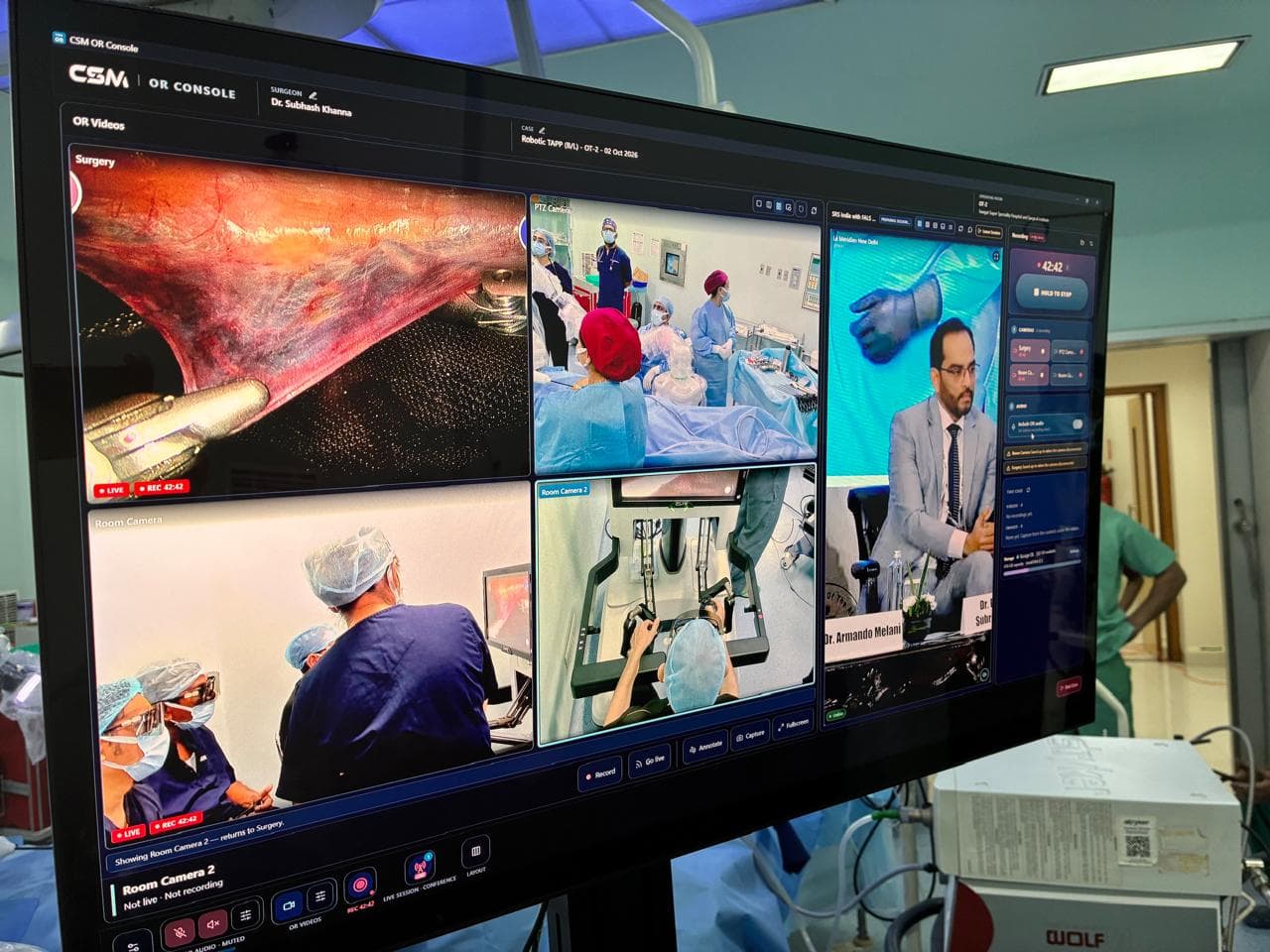
Expertise without boundaries
Live surgical collaboration
Remote surgical mentoring
Invite qualified experts into authorized sessions to provide professional guidance.
Surgical proctoring
Support structured observation for surgical training and technology adoption.
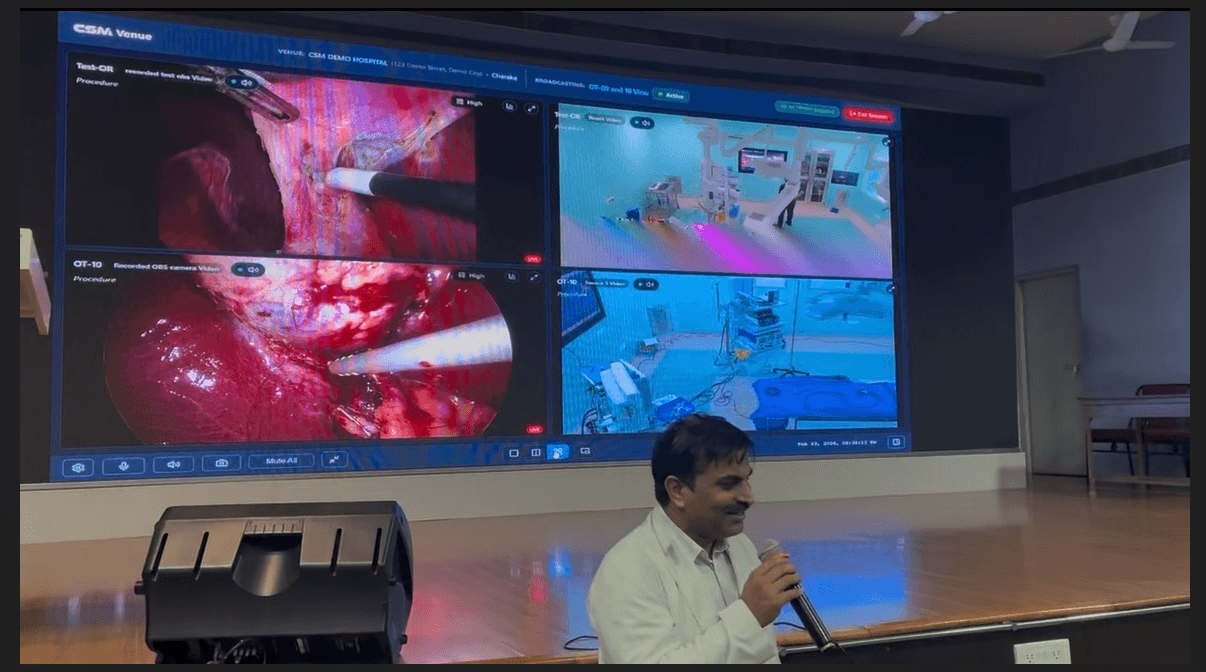
Operating room to classroom
Connect live procedures to classrooms, teaching rooms and auditoriums.
Multi-OR collaboration
Coordinate live sessions from several connected operating rooms.
Workshops & education
Run live demonstrations, education programmes and collaborative teaching events.
The operating room remains under the responsibility of the treating surgical team. Remote participants support collaboration and guidance within approved clinical workflows.
Connected clinical information
Surgical workflows should work with hospital systems.
Surgical case information is spread across hospital applications. AXIS CSM is designed to complement existing systems, connecting supported surgical workflows with relevant clinical information. The hospital’s EHR remains the authoritative record for the information it governs.
Hospital information & clinical systems
- HIS / HMIS / EHR
- PACS and imaging (DICOM, where supported)
- Laboratory and radiology systems
- ABDM interoperability initiatives
AXIS Connect(configured integrations)
Operating rooms & procedure rooms
- Laparoscopy and endoscopy OTs
- Robotic OTs
- Cath labs
- Surgical microscopes
- Other compatible video sources
AXIS CSM
Connected surgical cases
- Case management
- Surgical recording
- Live collaboration
- Documentation
- Review & learning
Authorized users & clinical teams
- Surgeons
- Remote mentors
- Command Center operators
- Medical colleges
- Research teams
Not every connection is active in every deployment. Each integration is confirmed as working, configurable or planned during the technical assessment for your hospital.
| Workflow | CSM contribution | Important boundary |
|---|---|---|
| Patient and procedure identification | Associates surgical cases with relevant clinical information | Data may be entered manually or imported through configured interfaces |
| Surgical recording | Connects compatible procedural video to the surgical case | Device compatibility is validated for each site |
| Surgical documentation | Organizes recordings, procedure details and supported documentation | Does not replace the hospital's operative note or EHR |
| Post-operative review and learning | Makes authorized recordings available for review, teaching and research | Access, consent, retention and research approvals apply |
Integration availability depends on the hospital’s systems, supported interfaces, technical validation and deployment scope. Healthcare interoperability »
Less manual effort. More useful information.
Making surgical documentation easier.
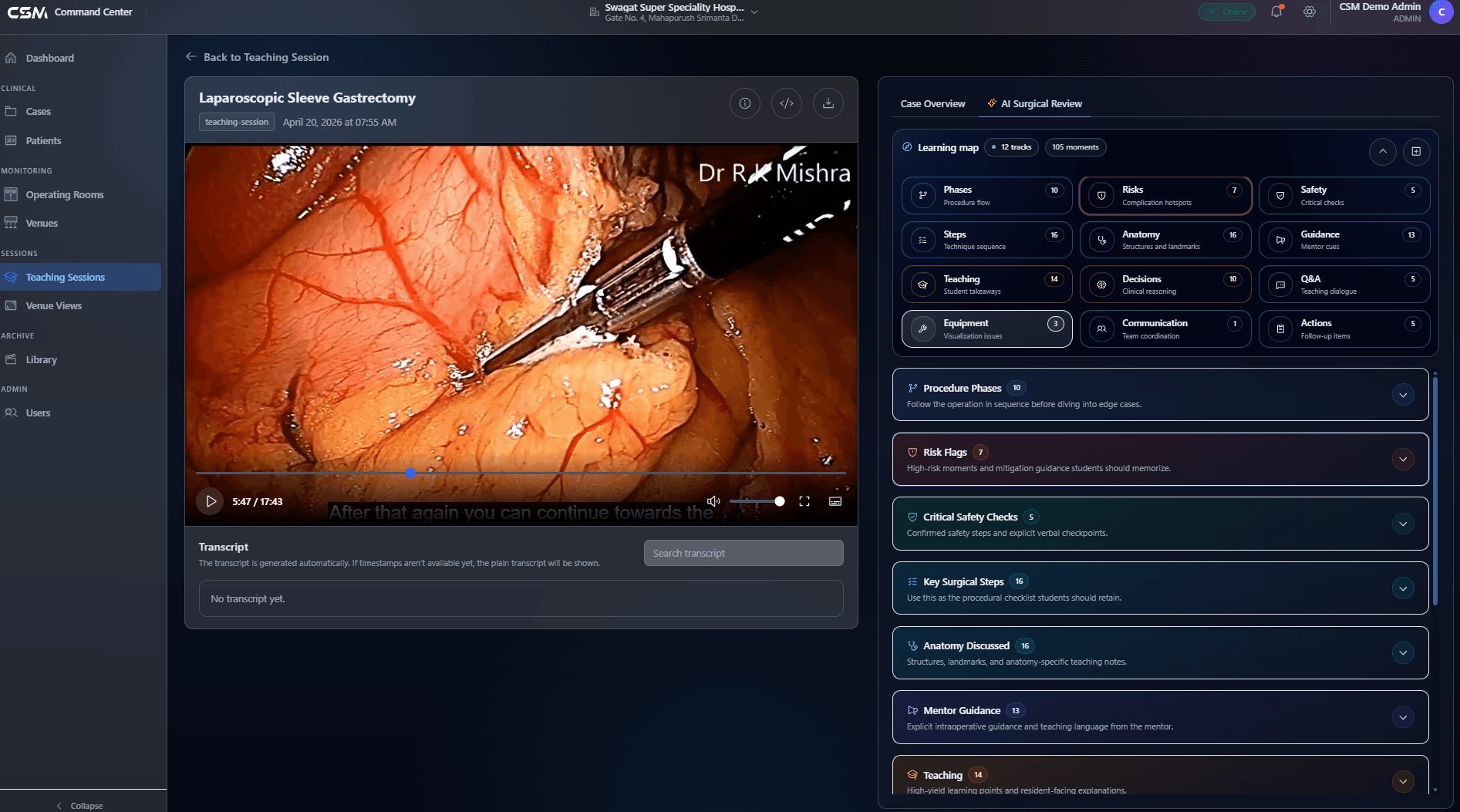
Organizing recordings and preparing procedural information takes significant manual effort. AXIS CSM brings case information and recordings together to support more structured documentation. Where enabled, AXIS AI capabilities can assist with:
- Surgical video review and editing
- Procedural content organization
- Transcription and summarization
- Draft case documentation
- Finding relevant video segments
- Preparing educational or research material
Clinical documentation generated with AI assistance must be reviewed and approved by qualified healthcare professionals.
AI-assisted capabilities are offered according to their availability, configuration and validation status.
Learn from every procedure
Build a living library of surgical experience.
A surgical recording should not become a forgotten file on a hard drive. AXIS CSM organizes permitted recordings into institutional libraries for teaching, professional learning and case review.
Surgical case review
Authorized clinicians revisit cases and discuss procedural experience.
Medical education
Faculty-led learning with approved recordings and live demonstrations.
Surgical training
Relevant procedural material for structured training and professional development.
Knowledge sharing
Appropriate sharing across departments and participating institutions.
Research opportunities
Authorized recordings prepared for approved academic and clinical research.
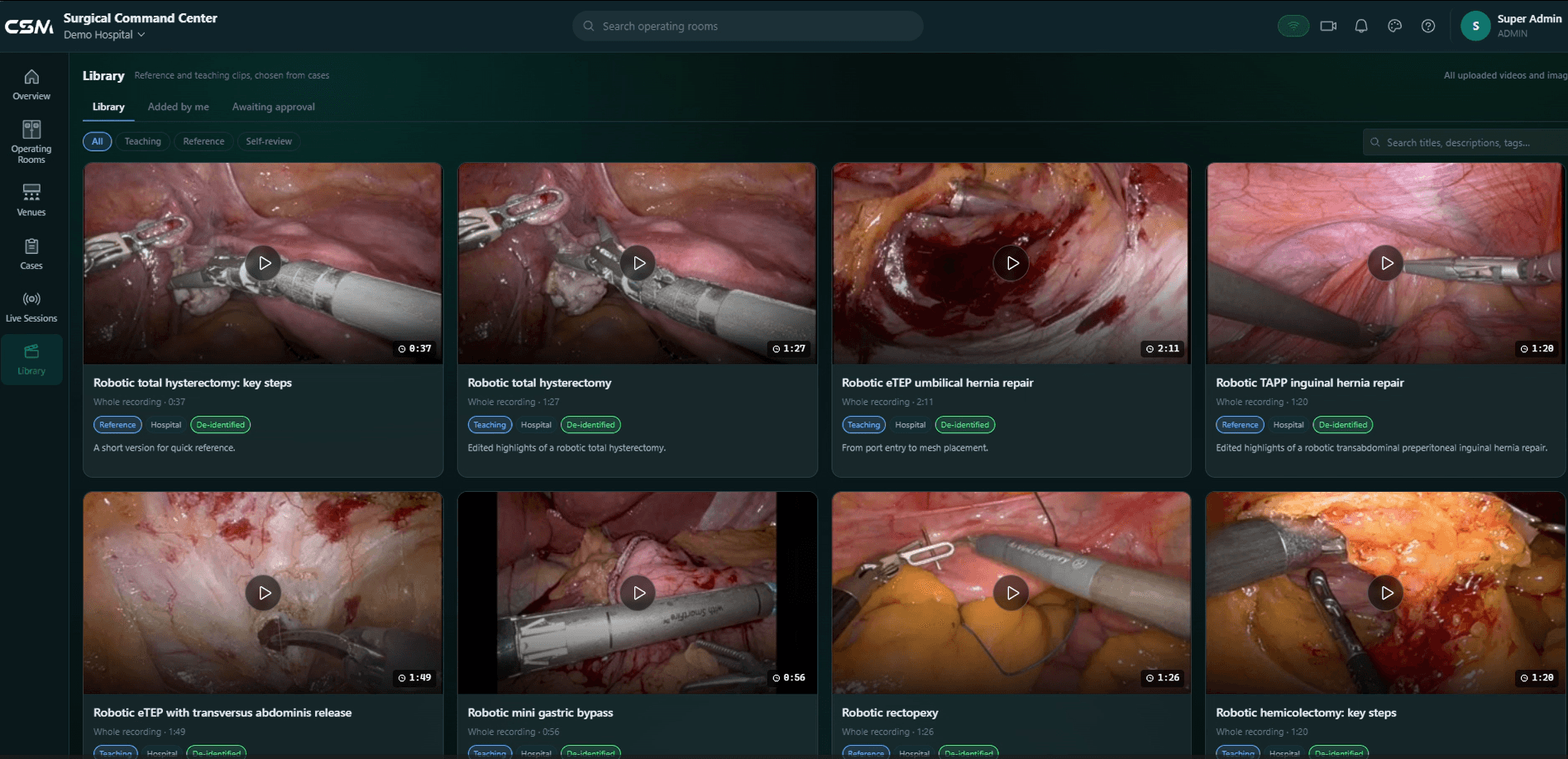
The knowledge gained from one procedure can help educate the surgeons of tomorrow.
The technology behind AXIS CSM
Connect one operating room. Expand across the institution.
Three integrated applications make up AXIS CSM. Deploy them on AXIS Edge or AxisEdge+ hardware, with on-premises, cloud-enabled or hybrid infrastructure planned around your institution.
CSM OR Console
Connects compatible surgical equipment, captures procedures and supports operating-room recording and collaboration.
CSM Command Center
Coordinates connected operating rooms, live sessions, teaching venues and view routing, remote experts and recordings.
CSM Live
Lets authorized surgeons, mentors, faculty and learners take part in live surgical collaboration.
Deployment hardware
AXIS Edge
Compact operating-room hardware for supported CSM OR Console recording and connectivity.
Deployment hardware
AxisEdge+
GPU-enabled operating-room computing for compatible advanced video and AI workloads.
Clinical knowledge. Institutional control.
Surgical recordings and case information need appropriate privacy, security and access controls. Security and compliance depend on the deployment, implemented controls, institutional procedures and legal obligations.
Role-based access
Access follows authorized clinical and operational responsibilities.
Consent-aware workflows
Consent information and permitted use travel with clinical media.
Activity records
Applicable records of supported user and system activity.
Controlled sharing
Access to recordings follows institutional permissions.
Storage & retention
Defined by the deployment and institutional policy.
Privacy & data protection
Controls designed to support institutions' obligations under India's Digital Personal Data Protection Act.
Works with the AXIS ecosystem
- AXIS Academy — Structured education using authorized surgical knowledge.
- AXIS Evidence — Approved research using governed clinical media.
- AXIS AI — Selected assistance for media processing, documentation and analytics.
- AXIS Connect — Supported integration with other hospital systems.
Complementary offerings with their own availability and licensing; not bundled into every CSM installation.
Frequently asked questions
Does AXIS CSM require the cloud?
No single deployment model is mandatory. AXIS CSM can be planned for on-premises, managed cloud or hybrid deployment, and the configuration for your institution is confirmed during technical assessment.
Can it operate across multiple operating rooms?
Yes. AXIS CSM is designed for single-OT, multi-OT and multi-site programs coordinated through the CSM Command Center. Scope is defined per deployment.
Which video sources are compatible?
AXIS CSM works with compatible surgical video and audio sources. Because equipment varies, source compatibility is verified site by site before deployment.
Is patient consent needed?
Recording, streaming and sharing follow your institution's consent and governance policies. AXIS CSM is designed to support those policies with role-based access and audit capabilities; it does not replace them.
Can remote specialists join a live case?
Authorized participants can join through CSM Live, subject to the session permissions your institution sets.
Can recordings remain on hospital infrastructure?
Yes, on-premises storage is a supported planning option. Cloud storage through AXIS SurgiVault is optional.
What does a deployment include?
Deployments are scoped individually: rooms, sources, hardware, network, storage and training. Request a demo to start a technical assessment.
Make every surgical case part of a connected workflow.
Whether you are connecting one operating room, building an institutional surgical library, enabling remote mentoring or planning a hospital-wide programme, AXIS CSM can be configured around your requirements.
Request a Live CSM Demonstration »Discuss Hospital Integration Requirements
Capture. Connect. Document. Review. Learn.