
 UNIVLABS
AXIS Capture · Clinical Media Capture
Capture Clinical Media. Keep It Connected.
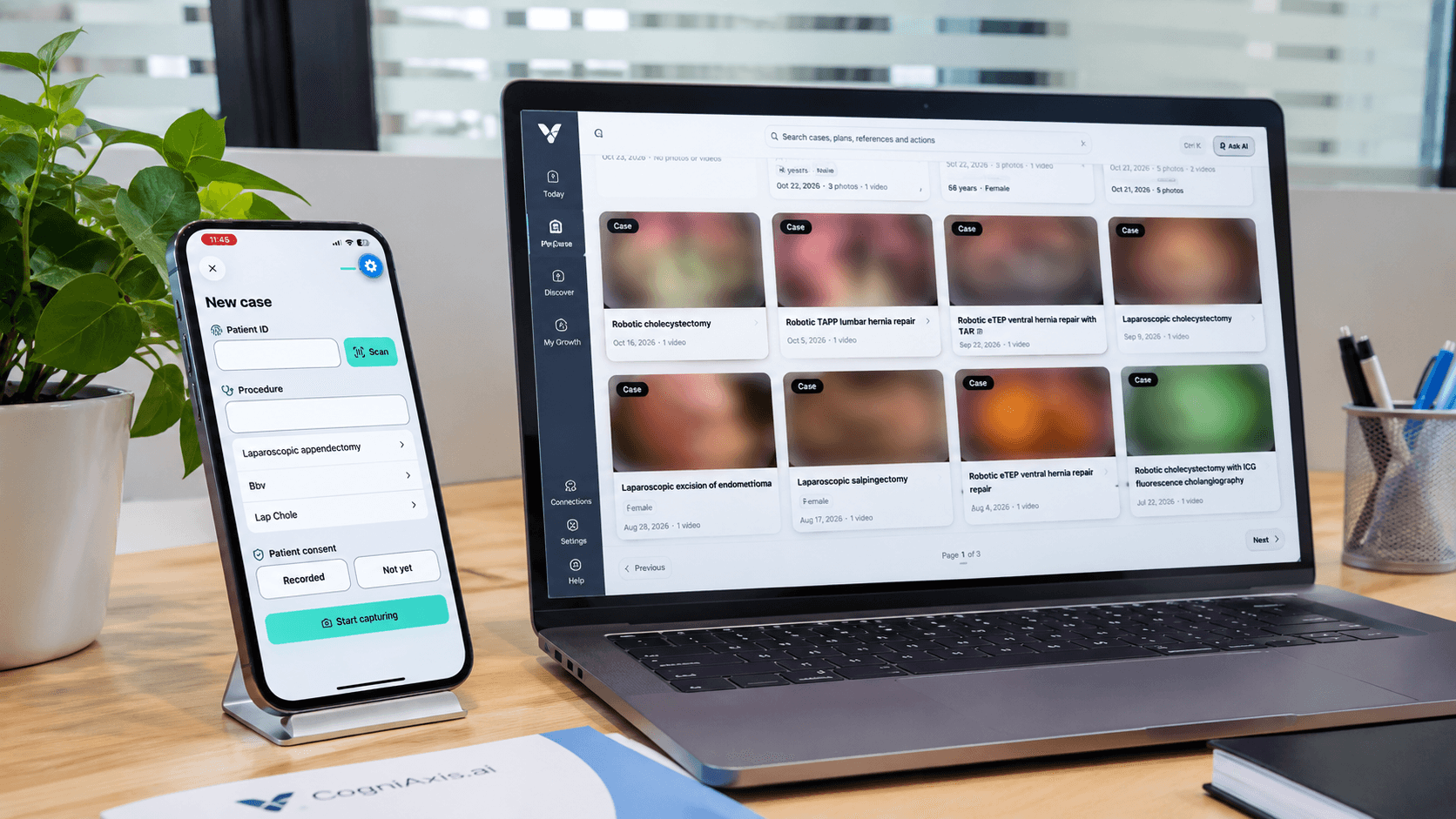
Clinical photography and video, captured on mobile and kept inside governed workflows.
AXIS Capture is a mobile application designed for clinicians to capture photographs and videos, associate them with permitted case workflows and transfer selected media securely to supported CogniAxis services.
| Availability: | Request Demo |
|---|---|
| Type: | Application |
| For: | Surgeons & clinicians |
From capture to protected storage
Overview
Problems it addresses
- Clinical media lives in personal camera rolls. Photos and clips taken on personal phones mix with private media and are hard to govern, find or retire.
- Context gets lost. Without case association, media cannot be reliably linked back to the right procedure or follow-up.
- Sharing is informal. Messaging apps are not designed for clinical media governance or institutional audit.
Who it is for
- Surgeons and clinical specialists
- Wound care, dermatology and outpatient teams
- Teaching faculty documenting cases
Key capabilities
Request a demo to see these capabilities and discuss what your institution needs.
| Capability | Description |
|---|---|
| Mobile photography and video | Capture clinical photographs and short video inside the app rather than the general camera roll. |
| Case-associated media | Tag media to permitted cases so it can be found and reviewed in context. |
| Protected media handling | Media is kept within the application's controlled storage, designed to separate clinical content from personal media. |
| Controlled transfer | Send selected media to supported CogniAxis services instead of informal messaging channels. |
| CaseStudio workflow integration | Media captured on mobile is intended to flow into AXIS CaseStudio for organization and review. |
How AXIS Capture works
- Capture: Take photos or video inside AXIS Capture.
- Associate: Link the media to a permitted case.
- Transfer: Send selected items to supported CogniAxis services.
- Review: Organize and review the media in AXIS CaseStudio.
Applications
- Pre- and post-operative documentation: Document clinical findings consistently across visits.
- Teaching cases: Collect authorized media for later teaching use.
- Peer discussion preparation: Prepare permitted media for discussion in AXIS SWAN.
Integration with the AXIS ecosystem
AXIS Capture is designed to feed AXIS CaseStudio, with storage through AXIS SurgiVault where configured and professional discussion through AXIS SWAN.
Frequently asked questions
Where can I download AXIS Capture?
There is no public store listing yet. Register your interest and our team will contact you about access.
Does AXIS Capture replace my institution's consent process?
No. Capture and sharing must follow your institution's consent and media policies.
Related AXIS offerings
AXIS CaseStudio
Surgical Case Workspace
A workspace for clinicians to organize cases and clinical media, review recordings, document relevant context and prepare authorized content for sharing.
AXIS SurgiVault
Clinical Media Cloud
Managed cloud services for supported clinical media storage, authorized access, policy-driven sharing and integration with CogniAxis workflows.
AXIS SWAN
Surgeon Associate Network
A professional community designed to bring surgeons together for meaningful collaboration, case discussions, specialty communities and continuous learning.
Talk to us about AXIS Capture
Tell us about your institution and goals. Please do not include any patient information.